
iOS Older News
On this page
Version 2.20 🚀
Markdown: “Single Source of Truth”
Finally, your Obsidian / Logseq vault (or any folder) can act as a single source of truth.
NeuraCache will update/create and delete cards to match the folder selected via “Select Folder to Observe” 👌
Markdown: Support for Full Pages
NeuraCache can now import/show full markdown pages if you wish 📄
Study Deck Operations OR / AND
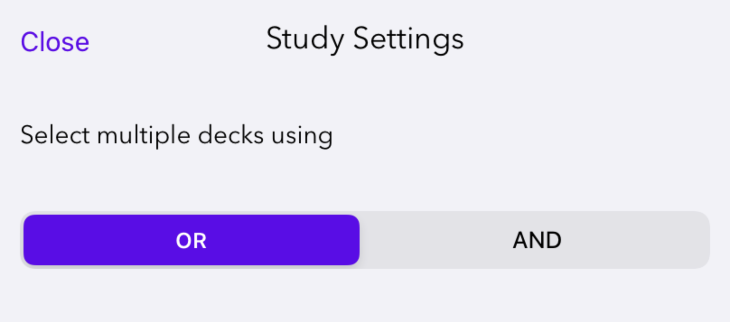
When using the Study tab, you can select multiple decks to study — the selection takes all the cards from all the selected decks.
This is known as the OR operation — e.g. take all cards that belong to Deck1 OR Deck2 OR Deck3…
With NeuraCache 2.20, you can switch to the AND operation — NeuraCache will only show you cards that have all the selected tags — e.g. take all cards that belong to Deck1 AND Deck2 AND Deck3…
Other Features
- Ignore Emoji Flashcards switch — when enabled, NeuraCache will ignore ⚡️ and 🧠 cards during sync/import.
- Support for ### ## # in flashcards — previously, using headers in a question broke things. This is fixed now.
- Evernote: skip blank cards — empty cards are no longer synced; NeuraCache just ignores them.
- Improved LaTeX support — we’ve added greater support for more complex equations.
Also, there are a couple of smaller bug fixes and design tweaks 👍
That’s it!
❤️ 🧠
Marcin
Version 2.19 🚀
Front of the Card with Rich Content
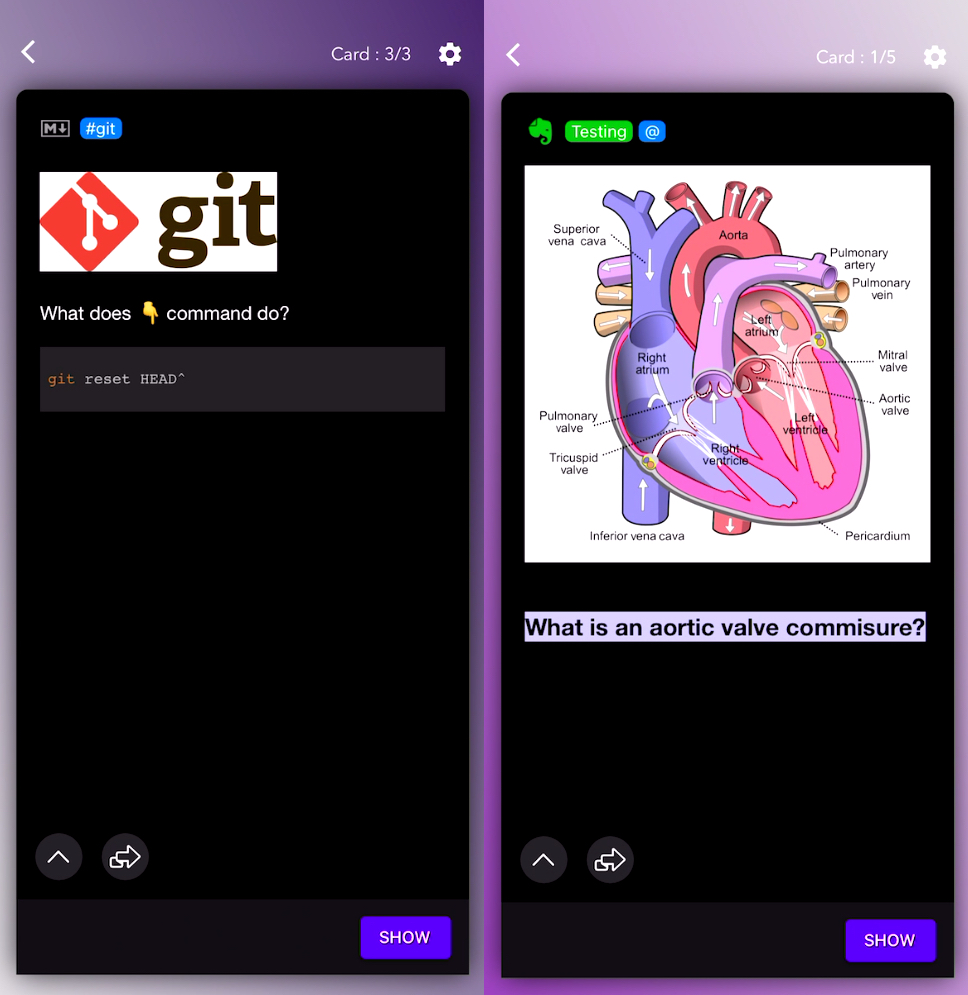
Previously, NeuraCache only allowed a single line of text as a question. That was very limiting 😅
Starting from 2.19, the card’s front can be as complex as the back — that means images, LaTeX, code blocks, bullet lists, etc.
Front/Back Strategies
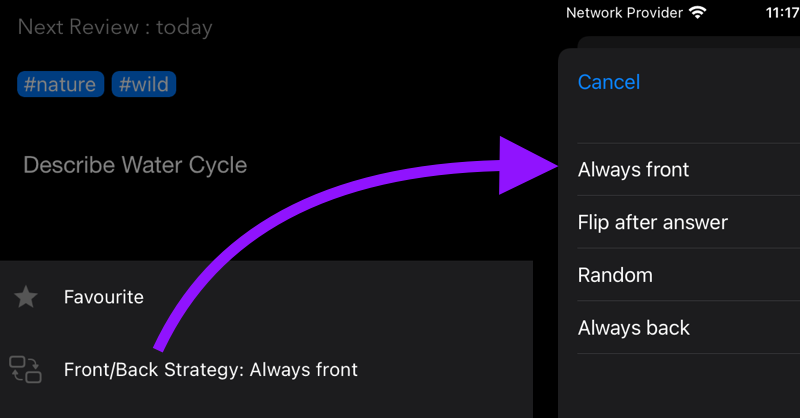
With the upgrade of the card front, we are also introducing Front/Back strategies — simply speaking, different ways of reversing the card during the review.
Consider this card:
Question: “how to delete staged files in git” Answer: “git clean -nfd”
It makes sense when reversed:
Question: “git clean -nfd” Answer: “how to delete staged files in git”
You can choose between these strategies:
- Always Front — default
- Flip after answer — flips front with back each time you answer the card
- Random — chooses front/back randomly
- Always Back — the back of the card always acts as the question
Markdown: New Spec for Two-Sided Cards
With the introduction of rich content for the front of the card, the regular flashcard spec — designed with a single-line question in mind — is simply not sufficient:
Question (single text line) #flashcard #tag1 #tag2
Answer (images, latex, codeblocks, etc)
- - -
So with 2.19 we are introducing a new spec for rich content (the old spec works as before):
#flashcard #tag1 #tag2
Question (images, latex, codeblocks, etc)
- - -
Answer (images, latex, codeblocks, etc)
- - -
Export Local Cards to .csv
You can now export your Local Cards to a .csv file.
The import from .csv feature is already there 👍
Notion: LaTeX Support
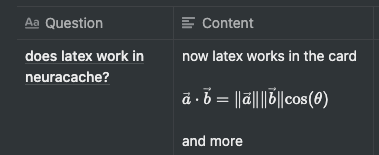
We’ve added support for Notion equations.
Bugfixes
Fixed issues with Evernote & Notion indentation 👌
Thank you for reporting! 🙂
That’s it!
❤️ 🧠
Marcin
Version 2.18 🚀
Markdown: Customizable #flashcard & #spaced Tags 🏷
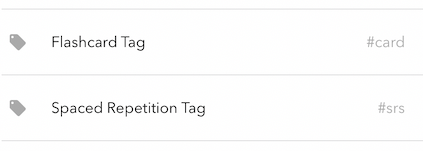
You no longer need to rely on the pre-defined #flashcard & #spaced tags — make them your own 👌
Markdown: Introducing Tag Groups 🏷
If you ever wanted to create a bunch of flashcards with the same tags, you already know the pain 😅 — the only way was to tag every card with the same tags. E.g.:
max speed of a cat :: 30 mph #flashcard #cats #animal #nature
is cat a tiger? :: genetically 95.6% #flashcard #cats #animal #nature
Starting from 2.18 there is a new “Tag Group” tag — #tags — to the rescue. The above becomes:
#tags #cats #animal #nature

max speed of a cat :: 30 mph #flashcard
is cat a tiger? :: genetically 95.6% #flashcard
Every flashcard and spaced card beneath the #tags will have all the tags attached, until the end of the file or the next tag group.
The tag group marker — #tags — needs to be at the start of the line.
So a more complex example would look like this:
#tags #cats #animal #nature

max speed of a cat :: 30 mph #flashcard
is cat a tiger? :: genetically 95.6% #flashcard

#tags #dog #pics

#spaced
![[my_dog_image.png]]
- - -

Ok, enough about cats and dogs — I need to get to work

#tags #kotlin

How to group elements of an array? #flashcard
```
val numbers = listOf("one", "two", "three", "four", "five")
println(numbers.groupBy { it.first().toUpperCase() })

{O=[one], T=[two, three], F=[four, five]}
```

How to define a final class? :: classes are final by default ⚡️

My daily notes
- todo: buy brocolli
Obsidian Image Link Support with Sizes 🏞
You could already use images with Obsidian, but you would need to turn off the Wikilinks setting or change the links manually 😔
To remove this friction, we now fully support both types of links 🙌 😁
![[my image.png]] - typical Obsidian image link
 - typical Markdown image link
We have also added full support for image sizes. E.g.:
![[my image.png|200]]
![[my image.png|100x100]]

Bugfixes
Fixed issues with nested markdown tags and design 👌
Thank you for reporting! 🙂
That’s it!
❤️ 🧠
Marcin
Version 2.17 🚀
Redesigned Hero Element 😎

We wanted to standardize the design language of the memory state — simple, coherent across the whole app, and reflecting what it is — it’s alive. Here is the result 😎 🟣
Multi-Select on Study Tab
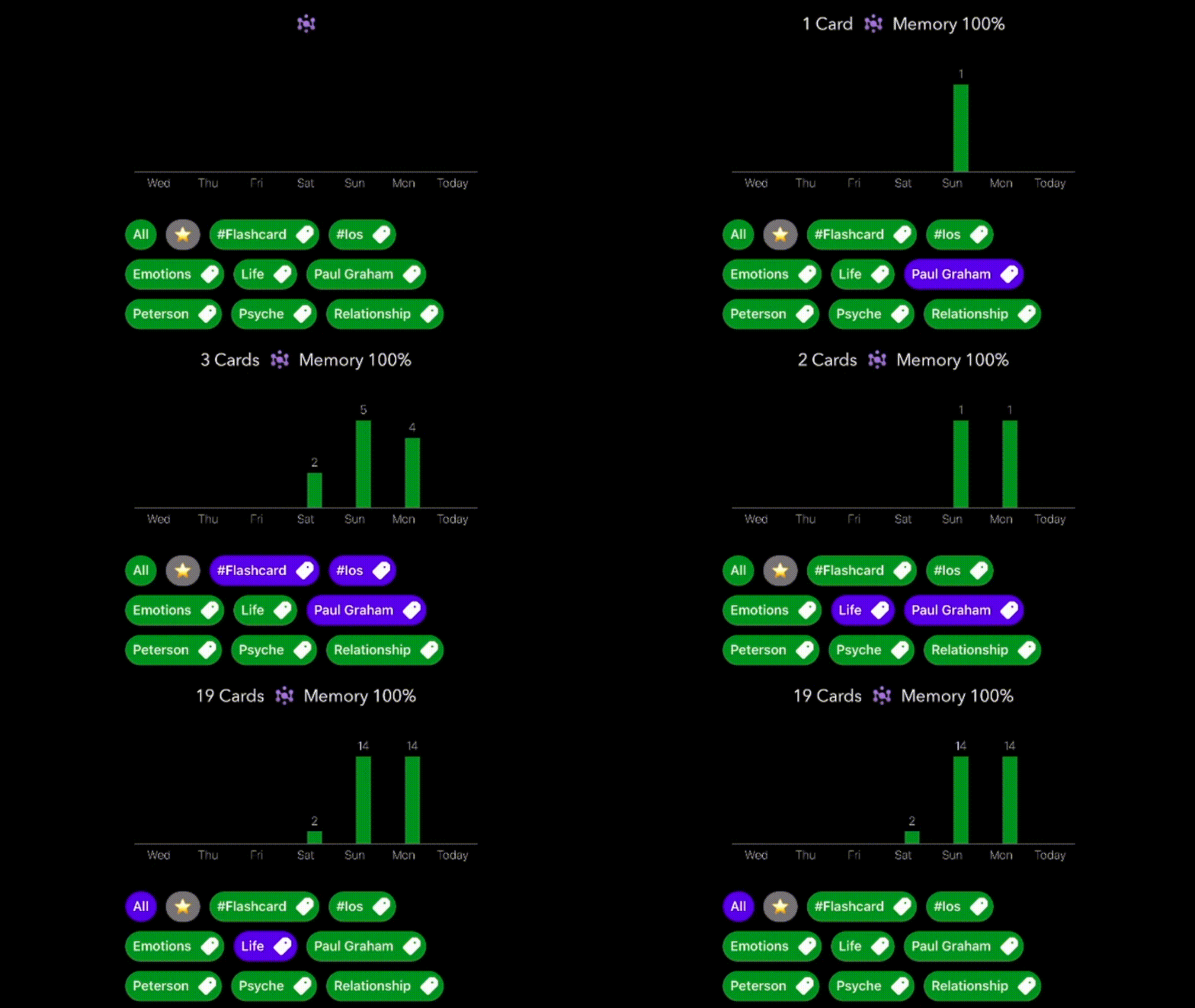
You can now select multiple tags/folders to study. Tap to select, tap again to deselect. This lets you easily review any combination of decks.
New Sound on Bad Answer
We’ve added a different sound for 🔴 responses during the review.
Simple, but it does make a difference.
Bugfixes
Fixed issues with the Widget, Study tab and Sync 👌
Thank you for reporting! 🙂
That’s it!
❤️ 🧠
Marcin
Version 2.16 🚀
Today’s Queue Widget 😎
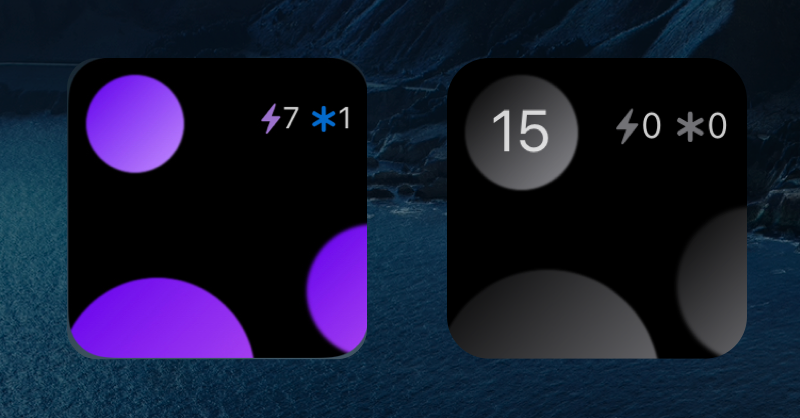
We love iOS widgets 🥰 With this version, we are introducing our first widget — Today’s Queue 🛹 Tap the widget to access the queue for today. You can also see your current streak and frost 👌
We have more widgets in the pipeline, so stay tuned.
Revamped Notion Integration
This version makes our Notion integration much more powerful 💪
You no longer need to share each database explicitly with NeuraCache. It’s sufficient to share just the top-most page, and NeuraCache will look through all databases that are children 👶 of this page.

To make it even more seamless, there is a new switch, “Auto-Sync New Databases,” which automatically syncs any new database you attach to the parent page (shared with NeuraCache).

We have also introduced “Named Columns” so you can have multiple columns and tell NeuraCache exactly which one holds the “Question”, “Content” and “Tags” — so NeuraCache doesn’t need to guess 😁

“Use Named Columns Only” tells NeuraCache to sync only databases that have columns explicitly named “Question”, “Content” and “Tags” — allowing you to keep regular databases under pages shared with NeuraCache.
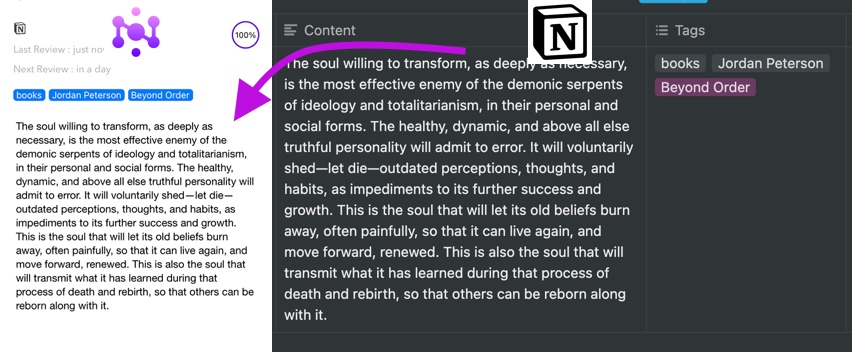
Finally, you can now create regular spaced repetition cards 🧠 (cards without a question, see image above) — great for highlights, thoughts, etc. To create a regular card, leave the “Question” column empty or use a single column marked as “Content”.
We know this is a lot to digest 🙂 — we are working on a walkthrough video 🎥 showing the current Notion flow in all its glory.
Pull Down to Sync ⬇️

This feature should have been there a long time ago 😅 Instead of searching for a sync button on the sources page — pull down the list ⬇️ — this will initiate a sync on all your connected integrations.
Remember that the sync happens automatically in the background every couple of hours 👍 — so no need to overuse it 😇
Next Batch After the Limit
When you have reached the cap set by the “Queue Daily Limit” feature, tap “Today’s Queue” again. If there are more cards, NeuraCache will offer the next batch to review, capped again by the “Queue Daily Limit”.
iOS 15 & Bugfixes
We have fixed a bunch of smaller issues and prepared the app for iOS 15 💪
That’s it!
❤️ 🧠
Marcin
Version 2.15 🚀
iPad Support and Notion Beta
These two features have been on our roadmap for a long time. Finally, the Notion Beta API is here, and so is a basic NeuraCache integration. We are planning to expand it to pages as well 👌
Along with Notion, we’ve added another big feature — support for iPads ❤️
Here is a quick demo showing them together in action (NeuraCache in iPad side mode):
https://www.youtube.com/watch?v=ypxVSC0yBYA
Export/Import Card Progress to/from a File 📁
You can now export and import your progress (from all integrations — no content, just algorithm progress). This comes in handy when changing phones or creating backups.
That’s it!
❤️ 🧠
Marcin
Version 2.14 🚀
Just one feature this time 🙃 but a super important one.
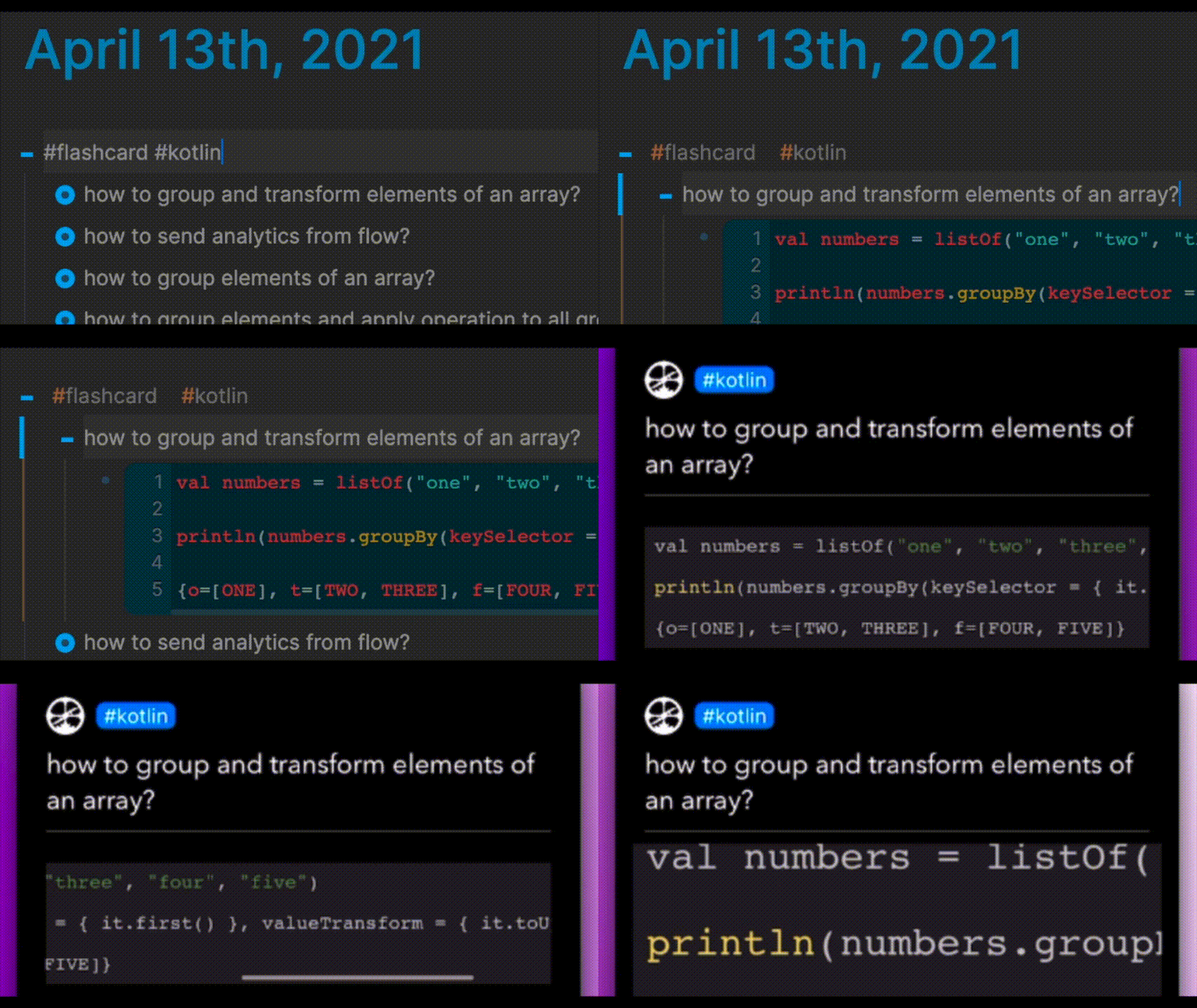
Code Block Support 👨🏻💻
It works with Roam Research, Markdown, Evernote (full notes), and Local Cards.
We use it internally to learn Kotlin and Swift.
👀 video 👇
That’s it!
❤️ 🧠
Marcin
Version 2.13 🚀
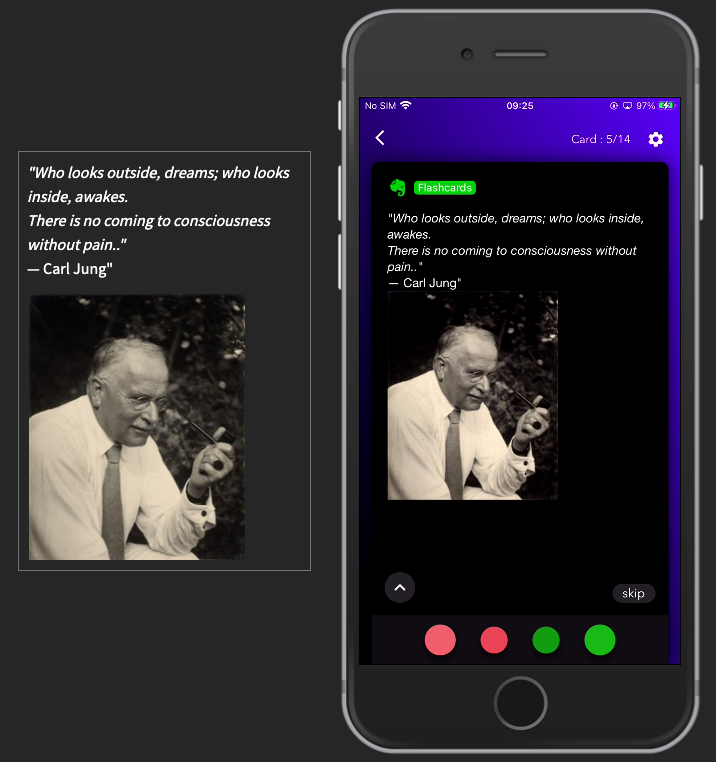
Evernote Spaced Repetition Card (1-Column)
Most of our Evernote users rely on 2-column tables to create their flashcards. With 2.13, we are introducing the 1-column table — which creates a pure Spaced Repetition Card (a card without a question). This is great for a variety of use cases like reflection, quotes, highlights, etc.
Evernote Highlights
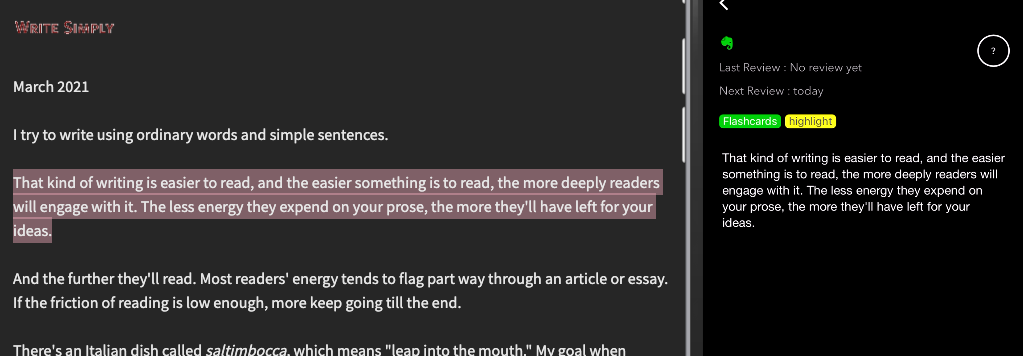
You can now use Evernote Highlights, 2-column, and 1-column tables simultaneously in a single note. Each element of the note will be extracted into an individual card. You can use the “Ignore…” switches to control what gets recognized 👍
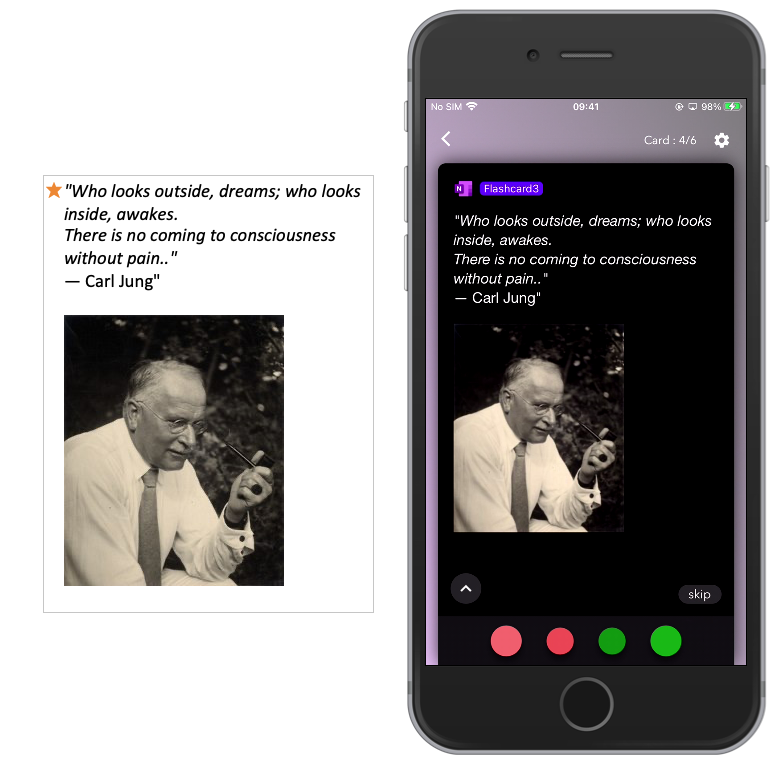
OneNote Spaced Repetition Card (⭐️ tag)
With 2.13, we are introducing the ⭐️ tag — which creates a pure Spaced Repetition Card (a card without a question). Great for reflection, quotes, highlights, etc. To use it, tag the first line of your Spaced Repetition Card 👍
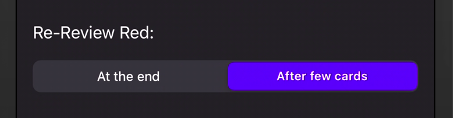
Review Flow: Re-Review Red “After few cards”
Typically, during the review flow, you would re-review your 🔴 cards at the end.
With 2.13, you can push cards “after few cards” so that at the end there is nothing left to re-review 👌
Markdown: Support for Nested Tags in One-Liners
You can now use nested tags with your one-liners, e.g. #lecture/lesson (Bear and Obsidian both support nested tags 👍).
Sorting: Oldest First
We’ve added a new way of sorting your cards 👌
That’s it!
❤️ 🧠
Marcin
Version 2.12 🚀
.CSV Support
Sometimes you want to keep things simple — .CSV files are super simple 👌
You can use Google Sheets, Excel or even plain text files to create your cards.
See this Google Sheet as an example:
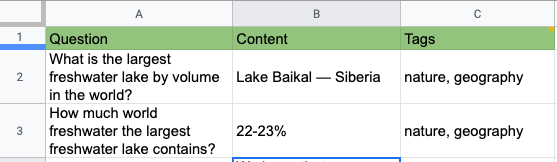
That’s it. Three columns.
https://docs.google.com/spreadsheets/d/1H_9dhij22KK5vzXDBpCLt-tgsJpyOgoeyIsMZm8q6s0/edit?usp=sharing
How to import 👆?
- File → Download → .csv
- Open NeuraCache → import .csv
Markdown: Obsidian “Fold Indent” Support
Many of our users use Obsidian “Fold-Indent” to structure their cards.
This is now correctly supported in NeuraCache 👌

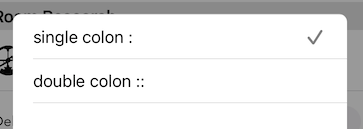
Markdown: One-Liner Separator (: or ::)
You can now choose between ”:” and ”::” as your one-liner separator 👌
Markdown: New Card Serves as - - - During Import
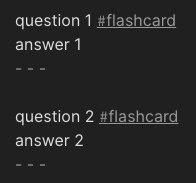
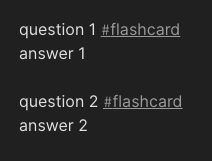
Previously, you needed to finish each card with a horizontal rule ”- - -” for it to be recognized correctly. Starting with 2.12, the next card can indicate where the previous card ends. This makes a lot of sense in files where you only keep cards. See the example below 👇
Before 2.12:
No need for ”- - -” in 2.12+:
Evernote & OneNote: “Ignore Full Notes” Switch
This should have been there a long time ago 😅
If you enable this switch, NeuraCache will skip full notes.
NeuraCache will sync only two-column tables (Evernote) and tagged cards (OneNote).
This is great if you want to re-use your existing notebooks/sections/tags but don’t want to clutter NeuraCache with existing notes.
Version 2.11 🚀
Big update, folks. Here we go:
iCloud Backup
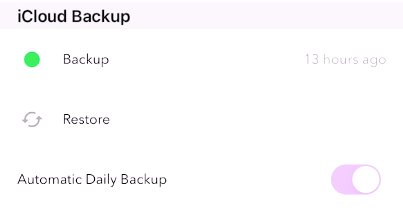
All your Local NeuraCache notes, along with Tags, are backed up to your iCloud account 👍
Card progress from all other integrations is also backed up to iCloud (not the notes themselves).
iCloud backup lets you move your data between phones and ensures your data is safe for the future. We will also be adding an “Export” feature to store the data locally wherever you choose.
⭐️ Favourites
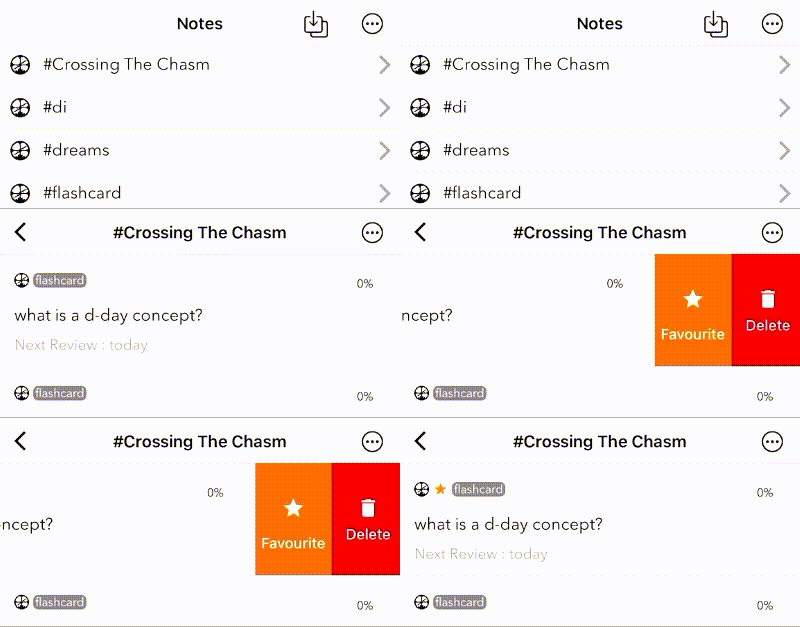
This is a no-brainer 🙃🧠 You can favorite any card and then access them quickly via the Study tab.
Share Text to NeuraCache
This feature has the most significant implications. It enables many new workflows that were not possible previously.
👉 You can share any text directly to the NeuraCache app
NeuraCache will create a Flashcard or a Regular Card without you needing to open the app 👌 The card will come back to you automatically via Spaced Repetition.
Remember all those insights you encounter on your mobile? Now you can make them work for you 👍
See this example of sharing a Kindle highlight to the NeuraCache app 👇
Queue/Deck Sorting
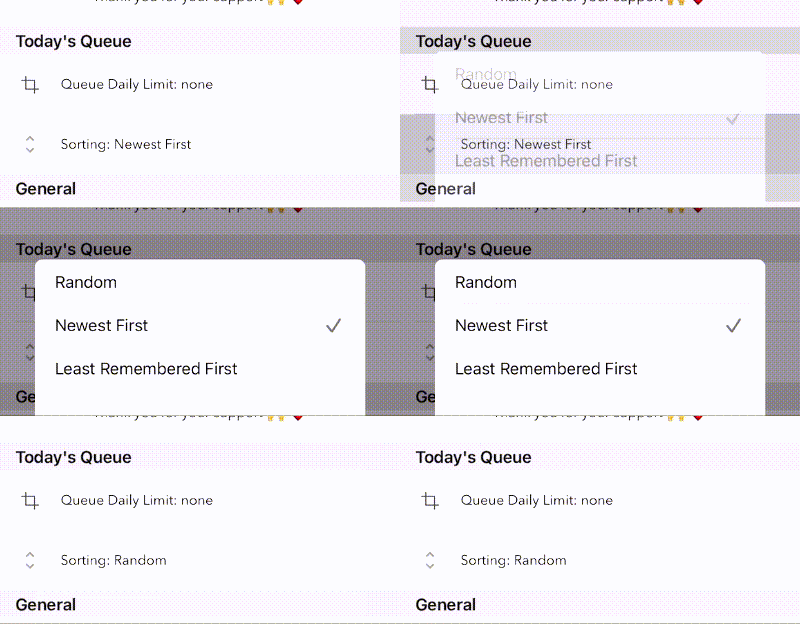
Another no-brainer 🙃🧠 Choose how you want your Queue and Decks sorted.
Version 2.10 🚀
Mesmerizing Review Flow
Our Today’s Queue is key to great results. We wanted to create a mesmerizing (yet subtle) experience that submerges you in a review flow. We think we’ve got it. This version adds subtle gradient animation and sound effects 🔊
Streaks
Streaks are another mental tool for keeping us in the Today’s Queue flow. The rules are simple:
- Each completion of Today’s Queue gives you one streak ⚡️
- Every seven streaks give you one frost ❄️
- Frost can be used to skip a day without losing a streak
Add Local NeuraCache Cards with Tags
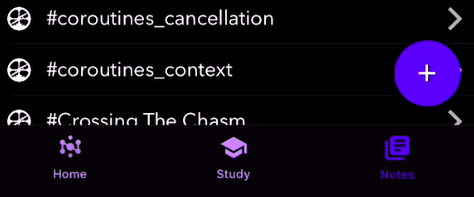
Starting with this version, you can create cards directly in the NeuraCache app and group them using tags.
Lots of Design/UX Tweaks
This version standardizes many design details — how all screen modals behave, the coloring of links, buttons, etc.
Version 2.9 🚀
Today’s Queue Daily Limit
Too many cards to review in the queue? This feature will help. You can cap the number of cards in the queue at any number you like.
If you reach that number, you can optionally still review more cards if you have the time and some cards need reviewing.
Design and UX Changes
In this version, we have standardized a lot of UI/UX things: improved the bottom sheet behavior and size, revamped the premium page, split Home settings into two, and much more. The overall experience is so much better now 👌
Version 2.8 🚀
Markdown One-Line and Micro Card Support
There are two new ways to add a flashcard in your markdown files. Previously, only “Regular Flashcards” were possible.
One-Line Cards simplify the creation of atomic cards by compacting them into a single line.
Micro Cards allow you to substitute the #flashcard tag with the ⚡️ emoji (🧠 is also supported).
Both new types use the following format: <question> : <answer> #tags
A full specification with examples is available here:
https://github.com/NeuraCache/markdown
Version 2.7 🚀
LaTeX Support
LaTeX support is finally here — it works beautifully with Roam Research and various Markdown editors like Obsidian, Typora, etc. Have a look at this video for a sneak peek 👀
♥️🧠 Marcin
Version 2.6 🚀
Roam Research: “Delete Missing Cards” Switch
While we wait for the Roam Research API, this small feature lets you mimic Roam graph sync via the current import process.
Currently, when you export from Roam Research and import to the NeuraCache app, NeuraCache performs two operations:
- find and add new blocks
- find and update existing blocks and their children
Therefore, deleting a flashcard/spaced block in your Roam Research graph will not be reflected in NeuraCache when importing — you would need to delete the card manually inside NeuraCache.
The reason is that NeuraCache doesn’t know whether you are importing the whole graph via “Export All” or just a page via “Export”.
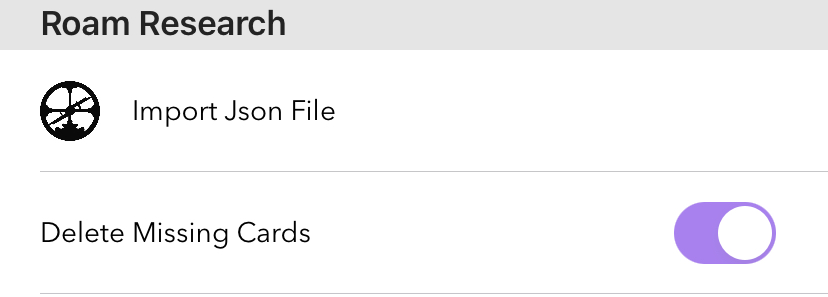
If you are using “Export All” in Roam, you can enable the new “Delete Missing Cards” switch in NeuraCache. When enabled, NeuraCache will remove cards that exist in NeuraCache but were not found in the imported file.
This results in sync-like behavior: creating/updating/deleting blocks.
♥️🧠 Marcin
Version 2.5 🚀
Markdown: Sync Folder
There is still a long way to go to make markdown sync seamless for all of our users (Google Drive, OneDrive, Dropbox), but this is a good start 😎
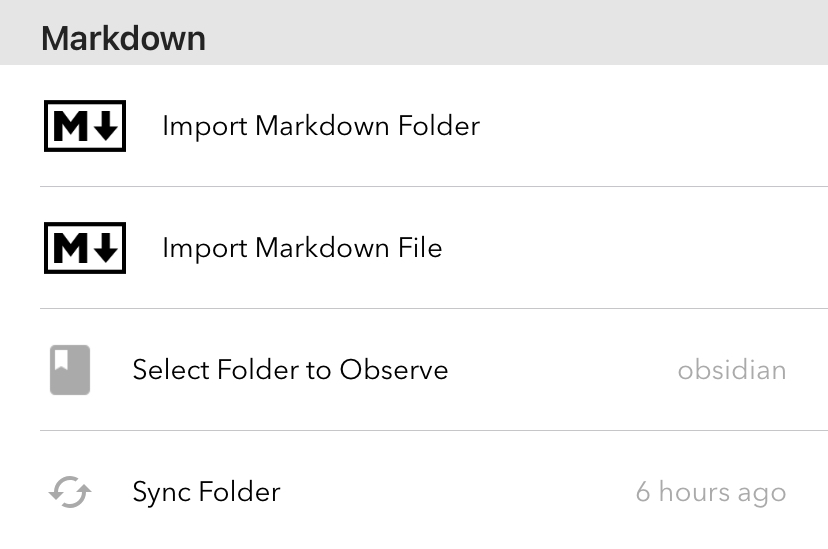
You can now specify a Root Folder on your iPhone for your markdown files (like Obsidian), ideally synced via iCloud (or some other mechanism). NeuraCache will remember it and sync your files a few times a day. You can also sync the folder manually using the “Sync Folder” button.
iOS 14 Support
We are keeping up with the future 😎
There were a couple of bugs (mostly visual) related to iOS 14.
All should be 👍 now.
iOS 12 Support
We do not forget about the past (this is a memory app! 😅)
NeuraCache 2.5 is available for iOS 12 (previously only 13+).
♥️🧠 Marcin
Version 2.4 🚀
Roam Research: Support for Aliases in Links 👌
All types of links should now be supported:
![alias][image web link]![alias][uploaded image][alias][web link][alias](((block id)))
Also, you can now reference images from the web directly:
![][image web link]
Roam Research: Embed 👌
NeuraCache can recognize embeds like this:
{embed: ((block id))}Now, NeuraCache also supports the default embed created via the ”/” key, i.e.:
{[[embed]]: ((block id))}Markdown: Support for Aliases in Links + Web Images 👌
All types of links should now be supported, including these:
![alias][image web link]![][image web link]