
Batch Cards
On this page
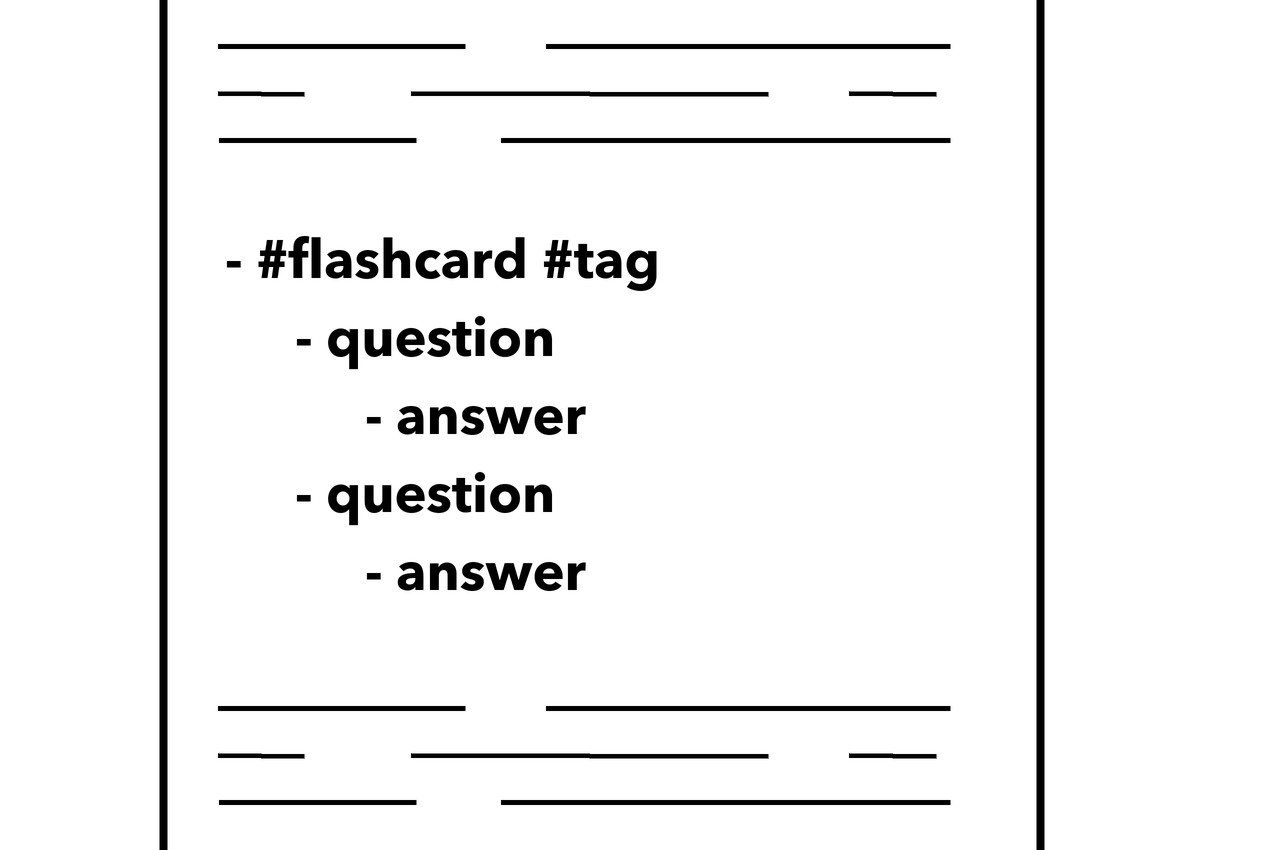
Batch Cards let you write the tags once for a whole group of cards. They build on Indented Cards, so they work in outliners like Logseq and Obsidian Outliner, where each line starts with a dash ”-” and the indentation is done via tabs.
The problem
When creating a lot of cards at once, you will run into a situation where you have to repeat your tags over and over again:
- Question 1 #flashcard #tagA #tagB #tagC
	- Answer 1
- Question 2 #flashcard #tagA #tagB #tagC
	- Answer 2
- Question 3 #flashcard #tagA #tagB #tagC
	- Answer 3
Batch Flashcards
Put the tags on a bullet of their own, and indent the cards beneath it. The example above becomes:
- #flashcard #tagA #tagB #tagC
	- Question 1
		- Answer 1
	- Question 2
		- Answer 2
	- Question 3 #optional-additional-tag
		- Answer 3
Every card in the group gets the tags from the first bullet, and a card can still add a tag of its own.
Batch Text Cards
The same goes for cards without a question. Use the #spaced tag to quickly capture highlights from a book or lecture:
- #spaced #books #Sönke_Ahrens #How_To_Take_Smart_Notes
	- This is not just about having the right mindset, it is also about having the right workflow. It is the way Luhmann and his slip-box worked together that allowed him to move freely and flexibly between different tasks and levels of thinking.
	- You have to externalize your ideas, you have to write. Richard Feynman stresses it as much as Benjamin Franklin. If we write, it is more likely that we understand what we read, remember what we learn and that our thoughts make sense. And if we have to write anyway, why not use our writing to build up the resources for our future publications
  - ...
In Logseq

If you use Logseq’s own #card tag alongside NeuraCache, Batch Flashcards will be a bit weird to use there: Logseq recognizes the whole group as a single card. See Logseq Flashcards.