
Multiple-Choice Cards
On this page
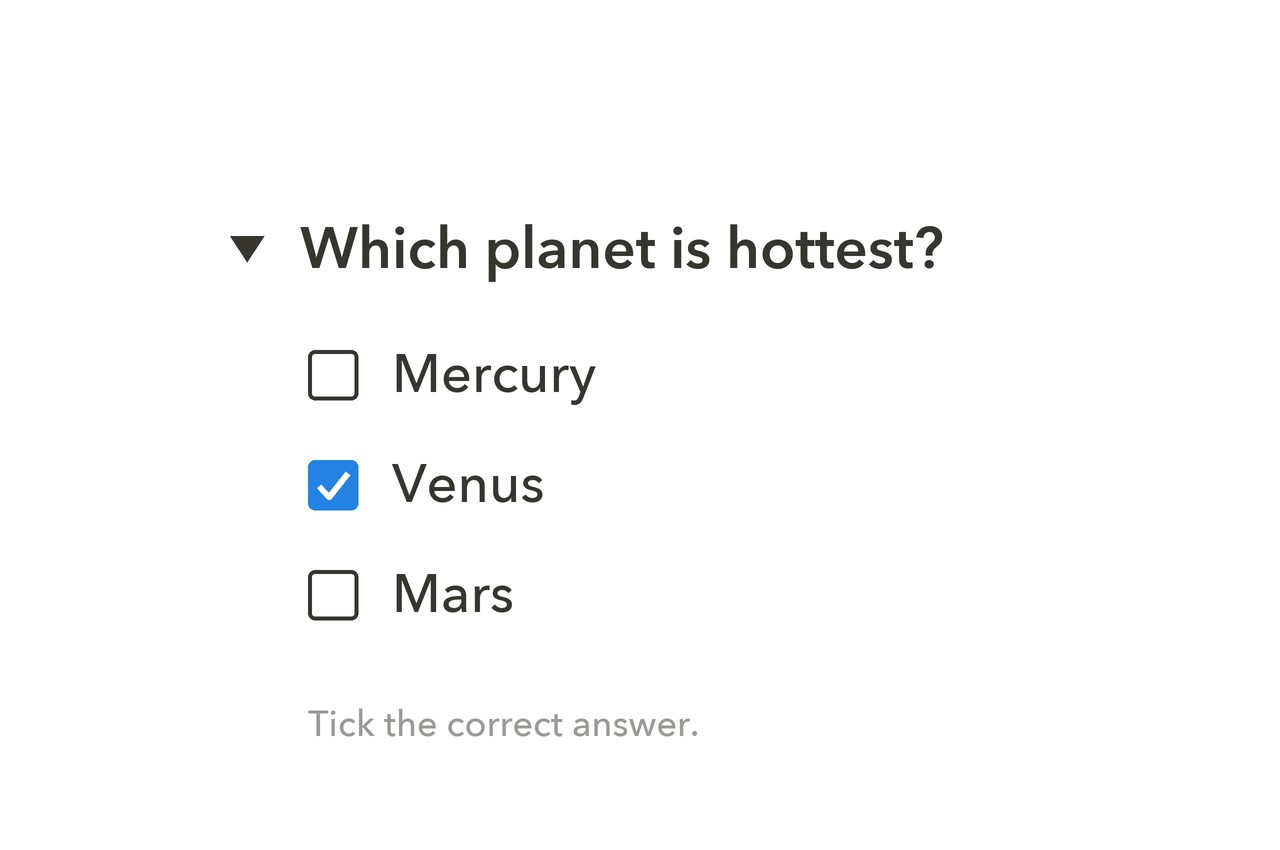
A Notion flashcard can be a multiple-choice card: one right answer and one or more wrong ones. There are two ways to make one, in a toggle or in a database.
This needs NeuraCache 3.8 or later on iPhone and iPad, NeuraCache for Mac 1.6 or later, or NeuraCache 3.3 or later on Android.
In a toggle
The toggle’s text is the question. Inside it, list the answers as to-dos and tick the right one, as in the picture above.
The rules:
- Give it two or more to-dos with text, and tick exactly one. The ticked one is the right answer, and the others are the wrong answers.
- Anything you put above the first to-do becomes part of the question.
- Blocks between the to-dos or after the last one are not used, so an explanation under the choices isn’t possible yet.
- Bold, italics, code and other formatting inside a choice are kept.
In a database
For a database whose rows are cards, the row’s title is the question and the card’s back is the right answer, as for any database card.
To make a row multiple choice, add a Text column named Wrong answers and list the wrong answers in it, one per line.
- The column’s name can be in any letter case, with or without the space.
- It has to be a Text column. A multi-select doesn’t count.
- A row whose Wrong answers cell is empty stays a regular flashcard.
When it stays a regular flashcard
- No to-do is ticked, or more than one is.
- There is only one to-do with text.
- In a database, the Wrong answers cell is empty, or the column isn’t a Text column.
Callout cards, including Two-Sided Cards, can’t be multiple choice.
In review
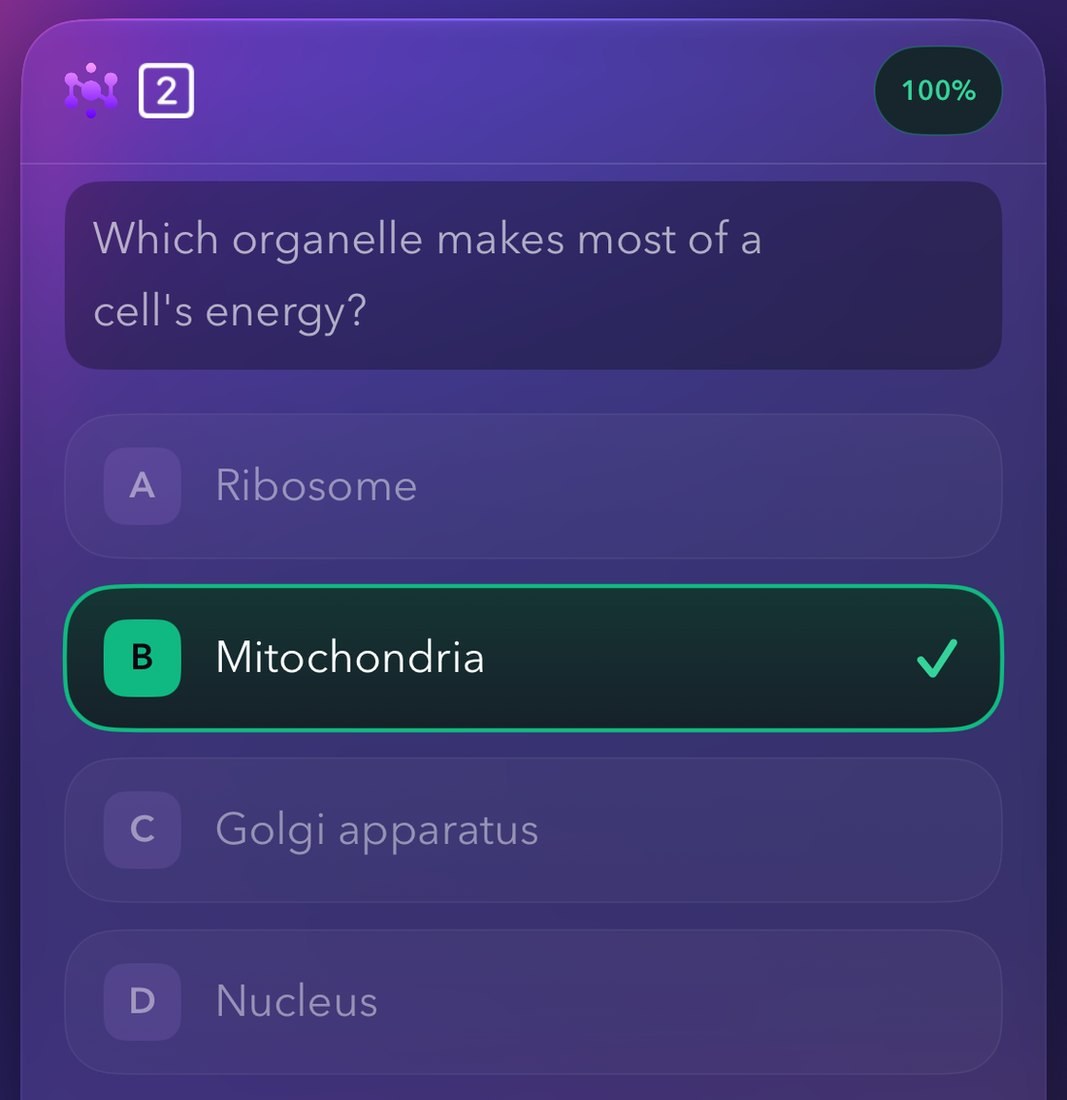
Show answer lays out the choices, and the one you tap is your rating. A right pick counts as Easy and a wrong one as Again. If you don’t know, you can say so, and that counts as Again too.
List as many wrong answers as you like. Each review shows the right answer with up to three of them, shuffled.
Good to know
- The card turns multiple choice at the next sync, and back into a regular flashcard if the to-dos or the column stop meeting the rules.
- Tags work as for any Notion card.
- Writing in Markdown? See Multiple-Choice Cards in Markdown.