
Advanced Databases
On this page
Notion pages are great because they allow you to use toggles, quotes and callouts (which are impossible inside a database).
On the other hand, Notion Databases allow you to group everything easily with Tags — this is very powerful 💪
What if we could combine the two?
Fortunately, NeuraCache offers a solution that combines the best of both worlds 👌 (Toggles/Quotes/Callouts + Tags)
The approach you will see here works with many use cases, like:
- reading books 📖
- lectures/classes 🎓
- video notes
- article notes
STEP 1: Create a Database
Let’s say you are reading books, and you would like to internalize the key concepts 💪 🧠
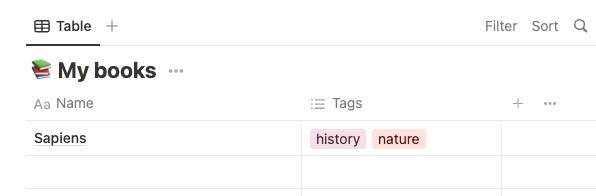
Create a default database and leave it with the default two columns (Name and Tags).
Let’s name it ”📚 My books”.
Now add a book and tag it.
The result should look something like this 👇
STEP 2: Open the page for a row
When you hover over the book name, an “Open” button will appear. Why? Because in Notion, every database row is essentially a page 👍
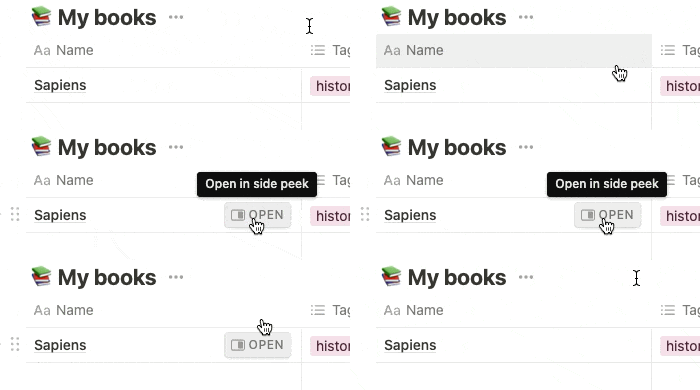
Let’s tap “Open” — a new page will appear on the side.
STEP 3: Add your cards
On this page, you can add any notes you like for your book/lecture/article/etc.
And — create Toggle/Quote/Callout cards 👌
You can use everything you’ve learned about Flashcards and Text Cards on this page.
STEP 4: Sync database with NeuraCache
We do everything the same way as in the previous tutorial, “Working with Databases” —
with one difference.
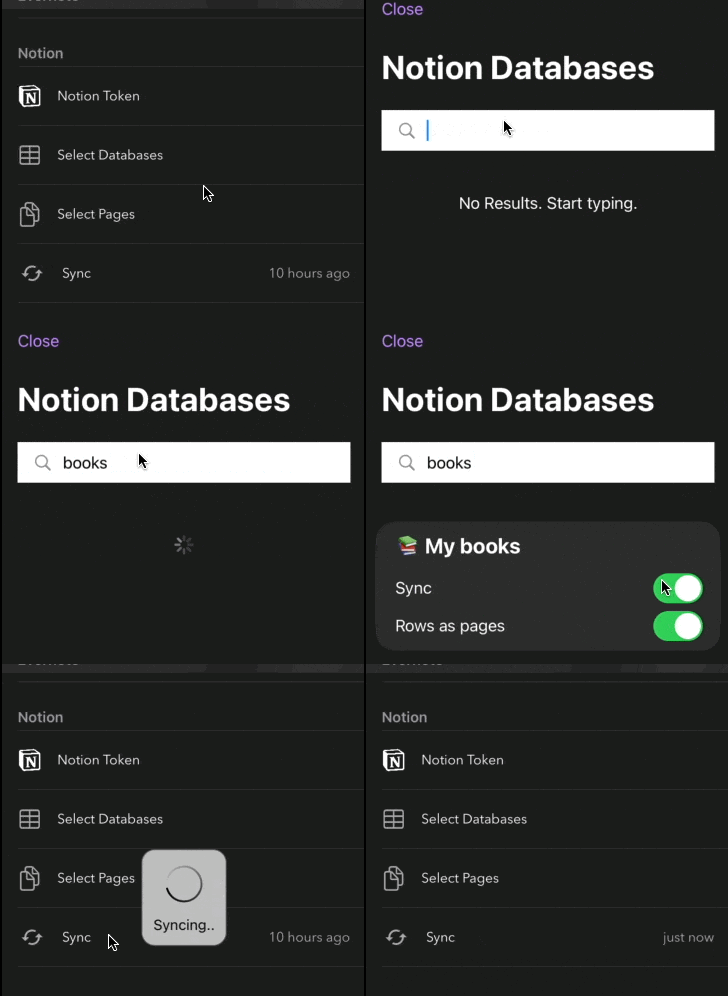
After turning on Observe for the database, also turn on “Cards inside row pages”. It tells NeuraCache that our rows aren’t cards themselves, but pages that hold cards.
The app calls the two ways “Each row is a card” (the switch off) and “Each row is a page of notes” (the switch on).
The recording below shows an older version of the app, where the switch was called “Rows as pages” 👇
All Done 👌
Now your cards are synced and grouped via tags 👌
That’s it —
Thank you for sticking with it to the end 💜
Marcin @IdeaRoots